Free Blu-ray Player

Wednesday, July 20, 2016

Xbox One S vs. Xbox One: Specs comparison

Xbox One S is the smaller version of Xbox One. According to Microsoft official, Xbox One S will be avaialble in 25 different countries on August 2. These 25 countries include Australia, Austria, Belgium, Canada, Czech Republic, Denmark, Finland, France, Germany, Greece, Hungary, Ireland, Italy, Netherlands, New Zealand, Norway, Poland, Portugal, Slovakia, Spain, Sweden, Switzerland, Turkey, UK and the US.

Before the Xbox One S hits the market, it is better for you to figure out the differences between Xbox One S and Xbox One. Here is the right place for you to visit in order to learn the differences between these two console devices.

Xbox One S FAQ:

  1.  Q: What is the release date of Xbox One S? A: Confirmed by Microsoft, it is August 2, 2016.
  2.  Q: Does it support 4K? A: Yes, it does, for video and Blu-ray, but not for games.
  3.  Q: Is it more powerful? A: Yes, a slight boost to processing power over the Xbox One to accommodate HDR gaming.
  4.  Q: Is a controller included? A: Yes, contrary to early reports, one is included in the price.

Xbox One S Price: $399/£349 for 2TB launch edition, 500GB and 1TB models also incoming

There are three different capacities. Prices start at $299 for the 500GB version, moving up to $349 for the 1TB and $399 for a massive 2TB. When it comes to UK and European pricing, here's what you need to know. The 2TB launch edition Xbox One S will cost £349/399 Euros, while the 1TB will be £299/349 Euros and the 500GB £249/299 Euros. That's pretty sweet for a 4K Blu-ray player let alone one that also plays games.

Xbox One S is 40% smaller, has built-in power supply

The Xbox One S is 40% smaller than the original – it's a huge reduction. Given how big the original Xbox One is – at 333mm x 276mm x 78mm, it dominates the comparatively slight PS4 – it's an important change that could entice potential buyers.

What's doubly impressive, however, is the power supply is now built-in. The bulky power brick on the Xbox One was a serious pain and was another con against it given the PS4 has it built-in. Therefore a smaller size yet with power supply built-in will definitely be a hot sale.

4K Ultra HD, 4K Blu-ray and High Dynamic Range support

This is huge. Not only does the Xbox One S support 4K video playback from streaming services like Netflix and Amazon, it also has a 4K Ultra HD Blu-ray built-in.
This is especially good news for AV fans and the announced $299/£249 starting price makes it good value compared to dedicated Ultra HD players currently on the market, which at this time cost anywhere from £400 to £650.
In fact, if you have a 4K TV, we'd argue it's a must-have to enjoy the full potential of your TV.
While the original Xbox One is technically capable of supporting 4K gaming and video, it comes with an HDMI 1.4a port, which means it can only output 4K at 30Hz, which is useless for games and problematic for some video. The Xbox One S adds support for HDMI 2.0a, so it now supports proper 4K 60Hz output.
HDMI 2.0a, with its capacity for a deeper colour space, also allows for High Dynamic Range (HDR).
In short, you can expect more natural colours, deeper blacks, and brighter whites from an HDR image, providing you have a compatible TV. It could be great for games and video, so this is another major plus point.
There's been some talk that old Xbox Ones could be upgraded to the new HDMI standard through a firmware update, but we've heard nothing since E3 so it seems a distant hope now.
 

Plus, it can upscale games to 4K

When the Xbox One S was first announced, Microsoft neglected to mention that the new console is also capable of upscaling games to 4K.
The upscaling capabilities were revealed by Jeff Henshaw, Group Program Manager at Xbox at an E3 session (via TechRadar).
Henshaw said: "It's not native 4K, but the Xbox One S can upscale games from 1080p to 4K."
It means the Xbox One S will be able to offer a taste of gaming at a higher resolution than its predecessor, although it won't quite be as good as native 4K.

It can be stored upright

Yes, that's right, you can store the Xbox One S upright. That's great news, though the stand is an optional extra, unless you buy the 2TB model, which comes with the stand bundled. As it only costs $20, however, it's not a huge imposition.


There's no dedicated Kinect port

Not a huge surprise here. The Xbox One S removes the dedicated port for Kinect. Given its increasing irrelevance this isn't a huge loss, though owners who want to use one can do say via a USB adapter. We assume the adapter will be sold separately, too.

But there is an IR blaster

In the place of a dedicated Kinect port, the Xbox One S comes with an integrated IR (infrared) blaster. That means you can configure your Xbox One S to turn on other devices, like your TV, audio/video receiver, and cable or satellite receiver.
The idea is that you can reduce the number of remotes you need to control your stuff. Pretty neat.


Xbox One S vs Xbox One: Should you upgrade?

There's no doubt the new Xbox One S is a better all around console than its predecessor. Not only does it slim down what was an unbelievably bulky case on the original console, and by 40% no less, the Xbox One S comes with a load of features that make it a desirable device regardless of comparisons with the previous model.
Firstly, you get a 4K Ultra HD Blu-ray player built in. Currently, those things will cost you upwards of £400 on their own. Secondly, you can stream 4K at the proper 60 Hz in HDR from apps such as Netflix and Amazon Prime Instant Video. Plus, there's even a slight performance boost. The console benefits from extra processing power which will be used to run games in HDR.
All told, Microsoft may just have done enough here to warrant an upgrade from the original console. While the Xbox One will run all the games you can play on the S model, the extra features and reduced form factor make the new version a tempting offer.

Monday, May 6, 2013

Top 5 Best Blu-ray Player Software for Windows 8

Playing Blu-ray movies on the go on a laptop or in the living room on an HTPC with a Blu-ray drive doesn't have to be difficult. But if you want true HD video quality, cinema-like soundtrack enjoyment and the experience of navigating disc extras and menus, you will need a Blu-ray media player that is up to the task. Here are four of the best Windows 8 compatible Blu-ray player software, just based on Blu-ray lovers' nominations.


The best Windows 8 Blu-ray player software programs so far:


Currently the most popular and best Blu-ray playback software are PowerDVD Ultra by Cyberlink, WinDVD Pro 11 by Corel, Total Media Theatre by ArcSoft and Blu-ray Player by Leawo. I have compared all these Blu-ray player software programs and some suggestions are given to help you choose the right Blu-ray media player for your viewing needs. Just keep reading.


Top 1: Cyberlink PowerDVD Ultra

Undoubtedly the Cyberlink PowerDVD is the Rock n' Roll one, and nearly all Blu-ray lovers like it! It has long been the best Windows 8 Blu-ray, DVD, music and video player to beat. PowerDVD fully supports Blu-ray discs, upscales standard definition content, plays any other type of video and even supports audio playback and photo slideshows. Now PowerDVD comes in three flavoers, Deluxe for $54.95, Pro For $79.95 and Ultra for $99.95.

Pros: 
  • Plays Blu-ray movies at full HD resolution.
  • 30 days to test this software.
  • Easy to use, rich and powerful features, supports audio playback, high video quality. 

Cons:
  • It costs money. Not $19.99 USD or $29.99, but a hundred bucks. Neither I nor anyone I know would be willing and able to pay so much. 
  • Poor customer and tech support. 

Top 2: Corel WinDVD Pro 11

WinDVD Pro 11 is efficient and full-featured Blu-ray player software that delivers excellent 2D Blu-ray, 3D Blu-ray, AVCHD, DVD, videos and audios in all latest formats playback. Its newest version is packed with some standout features just like display stretching, 2D to 3D conversion, HD upscaling, Dolby soundtrack tech and more! Plus, WinDVD Pro 11 uniquely includes a premium online movie search engine that supports you to find favorite movies at the lowest price from popular websites. The software has a free trial available, but a full license will cost you $49.99

Pros: 
  • Provides impressive 3D upscaling and seamless Blu-ray playback. 
  • Clear playback of both BD, DVD media and media files .

Cons: 
  • No support for some of the lesser-known disc types such as VCD and SVCD. 
  • Computer freezes when trying to watch a DVD with Corel WinDVD.

Top 3: TotalMedia Theatre 5

ArcSoft's TotalMedia Theatre is sophisticated, user-friendly Blu-ray player software boasting dynamic features, an intuitive interface and exceptional video playback. Ideal for all types of film enthusiasts, the software provides a convenient and cost-effective way to enjoy Blu-ray movies without the inherent limitations of a tangible electronic player. It supports 2D/3D Blu-ray playback and even supports upscaling other standard definition video, both locally on your system and DVDs you put into your system. You can also convert 2D movies to 3D with this software. Total Media also supports streaming video from YouTube and other Internet sources, the ability to change your system's region code to match the disc you want to play, and serves as an all-in-one media management tool and player for almost any video and audio type and format.

Pros: 
  • Boasts a sleek, intuitive interface and exceptional Blu-ray playback. 
  • High quality media playback, especially playback blu-ray Disc. 
  • Easy control and support dolby 5.1 sound well. 
  • Download youtube and watch directly on it easily. 
  • The audio can be adjusted and sounds good. 

Cons: 
  • The virtual remote control remains imposed over the interface unless minimized. 
  • Program just freezes when I try to start no matter how I do. 
  • Cannot customize user interface.
  • No karaoke capabilities.

Top 4: Leawo Blu-ray Player

Leawo Blu-ray Player is widely-acclaimed to be the best Blu-ray playing software for Windows 8 OS PC in the world. It provides extremely superb experience for Blu-ray, DVD and HD movie playback with full Blu-ray and HD movie playback navigation. Except Blu-ray playback, it can function as a cost free video player offering lifelong free service for playing DVD discs, DVD IFO files, common videos, and up to 1080P videos seamlessly. Apart from that, the advanced DTS5.1 cinematic stereo output, full-screen playback, flexible subtitles and audio tracks selection, etc. all make it fantastic than ever. 
Couple these features with the extreme efficiency that this program operates on, and you have nearly everything you could hope for to turn. 

Pros:
  • Seamless Blu-ray playback.
  • Forever free DVD player to play back DVD. 
  • Fully support Windows 8.
  • DTS5.1 guarantees super high quality of stereo output. 
  • User-friendly media playback control.
  • Support playback video in various formats free.
  • Support subtitles and audio tracks option. 
  • Quite neat and simple to use interface.
  • Easy to navigate and install. 

Cons:
  • Blu-ray playback is not cost free. However, if you wanna get a free keycode for watching Blu-ray movies on this media player, you can take part in Leawo's ongoing Blu-ray Player Beta test to test, review and get a $49.95 valued registration code before May 10, 2013.
  • No  3D playback function.

Okay, now you have seen the top 4 Windows 8 Blu-ray player software. Which one is your favorite? Is your favorite on the top four above? Did I miss a feature you love about one of the above Blu-ray media player software? Whatever you think, let me hear it in the comments.

Related Articles
5 Best Free DVD Player Software for Windows 8
Samsung Galaxy Mega 5.8 vs. Galaxy Mega 6.3

Friday, April 26, 2013

iPad Mini 2 vs Samsung Galaxy Note 3: Which is Your Expect?


Recently we have seen so many smart phones and tablets being announced and/or launched by giants like Samsung, Nokia, Sony and HTC. It is now time for Apple devices like iPad Mini 2, iPad 5 and the iPhone 5S to get the spotlight. However, Apple always keeps silent when it comes to reveling its iDevices' specs. A direct consequence of Apple's silence is a plethora of rumors appearing as people try to guesstimate the specs of Apple's upcoming iDevices.

Samsung is at the other side of the spectrum as they never shy away from offering details about their upcoming products, even though they are not really official yet. Thanks to the rumors and the numerous reports about the 2 most stunning devices of 2013: the iPad Mini 2 and the Samsung Galaxy Note 3, now I have enough to make a direct comparison between the 2 giant mobile devices.


  • Release Date 

According to a few rumors from some time ago, Apple was said to release the iPad Mini 2 during this May. Those rumors were recently proved wrong when Tim Cook mentioned a fall launch for the company's iPad Mini 2. A September release seems likely.

There are no rumors regarding the Samsung Galaxy Note 3 release date, so we have to speculate. Samsung likewise may opt for a fall release for the next generation Galaxy Note, so our guesstimate for the release date of Samsung Galaxy Note 3 is September on 2013 IFA.


  • Processor 

Apple's A7 system on a chip (SoC) is supposed to launch this Summer, in June or July. It is a faster SoC than the Apple A6X used in the iPad 4 and I think that it will be used in the iPad Mini 2.

The Exynos 5 Octa SoC will be available in the second quarter of 2013 and it is the fastest SoC available at the moment for any mobile device. It will also power the Samsung Galaxy Note 3 so that is a good news for those looking for performance.


  • Battery 

Apple will probably make sure that its next iPad Mini tablet will have a battery that would assure a usage of about ten hours.

For the Galaxy Note 2, Samsung used a very powerful battery of 3100 mAh. The Galaxy Note 3 will probably use an even more powerful battery, necessary given an extra power that the Exynos 5 Octa SoC will bring. It is said that the Samsung Galaxy Note 3 will feature a 4000 mAh battery, making it superior to many other smartphones on the market. 


  • Display 

When it comes to the iPad Mini 2's display, rumors mention a 7.9-inch screen running at a 2048 x 1536 screen resolution which is four times higher than the iPad Mini's resolution. The iPad Mini 2 is also rumored to be equipped with an IGZO display made by Sharp, a display that would make the tablet even slimmer than the actual iPad Mini.

So with the release of Samsung Galaxy Mega smartphones Galaxy Mega 5.8 and Galaxy Mega 6.3, many speculate that Samsung Galaxy Note 3’s screen will measure somewhere in the void between the 5.8 and 6.3 inch Mega smartphones. (If you are interested in Galaxy Mega 5.8 and 6.3, few days ago I have taken a full comparison between Galaxy Mega 5.8 and 6.3. You can make reference to it.)


  • Camera 

Regarding the iPad Mini 2 cameras, there isn't much information available. However, we are pretty sure that the iPad Mini 2's cameras will have the following functions: iSight, FaceTime and Full HD video recording.

Samsung always equipped its devices with high quality cameras and the Galaxy Note 3 won't make an exception. The Galaxy Note 3 will probably come equipped with a high quality 13MP camera.


  • Price 

It's probably safe to assume that Apple will follow its standard pricing patterns so that the iPad Mini 2 will most likely have the same price as the first iPad Mini.

The price for the upcoming Samsung Galaxy Note 3 is rumored to be up to somewhere around $800.

Okay, above 2 can be said to the most stunning mobile devices in the second half of 2013. So which is your expect? Welcome to share your thoughts!


Related Articles:
Samsung Galaxy Mega 5.8 vs. Galaxy Mega 6.3
6 Best Games for iPad Owners

Tuesday, April 23, 2013

5 Best Free DVD Player Software for Windows 8

"What is the best free DVD player software for Windows" has become the hottest topic on online world of late! Yes indeed, everyone needs a powerful yet free DVD player software. We love movies, and viewing them in a theater with a huge screen and incredible surround sound makes the experience even better. However, with those powerful DVD player software programs, watching DVD movies in the privacy of our own home is also as exciting as going to a movie theater. Just with two speakers, the free DVD player software could transform a simple experience into an audio feast for our ears! 

Although the web is now bombarded us with DVD player software programs that offer a wide array of features and service, but today I only collect the top 5 free DVD media player software for Windows for your reference, if you are now in urgent need of such a tool. 


Top 1: Free DVD Player


Free DVD Player coming from Leawo is a totally free DVD player to offer lifelong free service for playing DVD discs and IFO files. This region free DVD player could play back all DVD discs from different regions and countries with quality loss. Preferred subtitles and audio tracks option is available, and superb audio quality is offered to give you cinema sound quality at home thanks to its full support of DTS5.1. Other features like full-screen playback, video/audio setting, clock display are also provided.

Pros: Forever free to play back DVD; Fully support Windows 8; DTS5.1 guarantees super high quality of stereo output; User-friendly media playback control; Support playback Blu-ray and video in various formats free.

Cons: No screen-capture functionality 


Top 2: UM Player

UMPlayer has a lot of competitive and promising features. For a free multimedia player, it has a lot of advanced options and yet it is so easy to operate and use. It can also play any media format for both video and audio files. Unique features are included like subtitles search, ability to play and record YouTube, skinable interface, audio/subtitles sync, customizable hotkeys and a lot more.

Pros: Easy to use and has a lot of great features like shoutcast and YouTube integration; Customizable options for file playback; Play all formats; Automatic subtitle download from opensubtitles.org

Cons: Minimal support and documentation 


Top 3: VLC Media Player

VLC Media Player is one of the world's favorite open-source video playback software. It has a lot of great features like granular speed controls, frame-by-frame advancement, living recording of streaming videos among other things. It also has customizable toolbars, and supports a wide range of video and audio formats.

Pros: No external codec installation required; Excellent playback quality and stability; Play internet radio and TV; Capture video on webcam; Admirable volume control

Cons: Default interface is not cool and savvy; skin options need improvement; No playback for Blu-ray 


Top 4: Real Player

RealPlayer is a full-featured and user friendly video and audio player that delivers great multimedia playback experience. In addition to performing a variety of music and video files without any incompatibility problem, this amazing program also has several extra options that make the user experience much more complete. It has a video-trimming tool that will give you flexibility in video options, as well as allows for sharing with social media sites like Facebook and YouTube.

Pros: A great and functional media player offers solid performance; User-friendly interface; Connect with Facebook and YouTube; Trim video and audio

Cons: Tendency to hang and slow to load video; Lack of video options 


Top 5: BS DVD Player

BS DVD player has now returned with a free version, a new interface and great features such as watching YouTube videos, capture frames and even generate thumbnails from certain sequences. It recognizes a wide range of formats, and allows for a wide array of options for video, DVD, audio, radio and TV playback. Actually all types of media files supported.

Pros:
Support all video formats including YouTube videos; Easy to use interface; Lightweight and fast; Contain all necessary features for watching HD movies.

Cons: Need to install codec; Install its toolbar into your web browser

Okay, above are the top 5 best free DVD playback software I collected! There should be more amazing Windows DVD player software out there, if you guys have some other recommendations, please feel free to leave a message for me to enlarge my collections!

Thursday, April 18, 2013

Samsung Galaxy Mega 5.8 vs. Galaxy Mega 6.3

Seemingly the tech news is meant to cover Samsung only of late, as this South Korea firm is once again in the news! Wait! Before you think that it's about a new salty thing on Samsung Galaxy S4, let me tell you that you are on the wrong track. This time, Samsung is shining in the headlines because of making announcement of Galaxy Mega 5.8 and Galaxy Mega 6.3.

After lots of rumors, Samsung has finally launched its latest over-sized smartphones or phablets as they are described. Both these devices are larger than that of Galaxy Note 2, which with the size of 5.5-inch was the largest smartphone by the company so far. Right here to give
 you a clear picture of Galaxy Mega 5.8 and Galaxy Mega 6.3, I have taken a comparison between Galaxy Mega 5.8 and Galaxy Mega 6.3. You can take it as reference to know more about the phone specs.

Samsung Galaxy Mega 5.8 vs Galaxy Mega 6.3

1. Size

If you still think these are smartphones, I should say that they are the biggest damn smartphones I have seen. The Galaxy Mega 6.3 is larger than its brother, but it is a little bit thinner.


2. Build

Yes no surprise here. Just like Galaxy Note 2, Galaxy S3 and S4, Galaxy Mega 5.8 and Galaxy Mega 6.3 are with plastic body. I should admit that I hate plastic case! However, plastic isn't necessarily a bad thing. For one, it opens the door to removable batteries; it also keeps weight down; and it even lets Samsung spend more on other components.


3. Weight

As for weight part, I should say that plastic really brings benefit. Despite their enormous sizes, there are still relatively light phablets. They may leave a sizable impression in your pocket, but at least they won't feel like heavy bricks.  


4. Display

Screen size is the most obvious difference between these 2 phablets. The Mega 5.8 has a 5.8-inch display and the Mega 6.3 has a 6.3-inch display.

Besides, resolution is also worth paying attention to. The Mega 5.8 has a resolution of 960 x 540p, while Mega 6.3 comes with 1280 x 700p screen resolution. No doubt they all have terrific display resolution especially the Mega 6.3. However, I have to mention that Samsung's Galaxy S series sports an AMOLED display, but the Mega phablets use TFTLCDs.

5. Processor

Samsung has revealed that these 2 devices come with dual-core CPUs. It can be said that both should be speedier than you average mid-range device.

6. RAM

There is 1.5GB of RAM in each Mega. Yes, not too shabby for a mid-range device. You know, Apple's high-end devices have never had more than 1GB of RAM. 

7. Storage

Okay, here comes the limit. 8GB od storage isn't much, but you can pay more to push the Mega 6.3 to 16GB. However, the luckiest thing is that they are packed with microSD slot, allowing you to add up to 64GB of extra storage. 

8. Wireless

There is a big advantage for the bigger Mega. It gets LTE, while the Mega 5.8 settles for HSPA+21. So before you buy Mega phone, be sure to check with your carrier first. If it doesn't have LTE in your area, this might be a moot point. 

9. Battery

Nice numbers for battery capacity. Considering that neither screen is pushing the limits of pixel density, it's a safe bet that both Megas will easily last a full day.

10. Cameras

For mid-range phones, the cameras on Megas are not too shabby! There is a lot more to image quality than megapixels. If Samsung wants to be cheap, it could have done much worse than 8-megapixel rear shooters. 

11. Software

Here is a nice bonus. Both phablets ship with the latest version of Android 4.2 Jelly Bean. They also get the latest version of Samsung's TouchWiz "Nature" UX. That means many of the Galaxy S4 features show up here too. So apps like S Translator (real time translation), S Travel (trip information), and Air View (preview emails and pictures by hovering your finger) are all joining the Mega party.

12. Wrap-up

Okay, the moment to talk about the wrap-up. Neither comes with or supports S Pen input.

Pricing and availability are also question marks. It is said that two Megas will be available in May, in Europe and Russia. No mention yet of US, Canada, Australia or anywhere else. With Samsung’s high-end phablets doing well, we wouldn't rule out a larger rollout for these mid-range (likely cheaper) phablets.

Well, what's your view about these largest Samsung smartphones? Are you impressed with Galaxy Mega 5.8 and/or Galaxy Mega 6.3? Eager to know about your views! Welcome to spread your views with below comment box.


Related Articles:
Google I/O Conference 2013: What to Expect
Samsung Galaxy S4 vs HTC One: Battle of 1080p Smartphone Giants

Friday, April 12, 2013

5 Best Free Video Player Apps for iPhone and iPad

Indeed playing videos on your iPhone and iPad can be a chore if you only make use of the native video player, because who has the patience to convert those videos into one of the few formats that iPhone and iPad play (i.e. mp4, m4v and mov)? Under such an occasion, searching an iPhone or iPad video player app in Apple Store will fully solve your headache of unable to play videos of all kinds on iOS devices. However, do you know which video player app is the best for your iPhone and iPad?

To avoid you looking for the best video player for iPhone/iPad in the thousands, right here I will share you 5 best video players for iPhone and iPad. Those all have the ability to play most of the standard video formats (including wmv, mkv, avi, mp4, flv, rmvb, etc.). Without any doubt, the following best iPhone iPad video player list is your golden ticket to freely watch movies, TV shows and more on your iPhone or iPad. Now get ready to juice up your gadget with those wonderful free video player apps? Go!

Top 5 media player apps for iPhone and iPad:


1. OPlayer Lite / OPlayerHD Lite

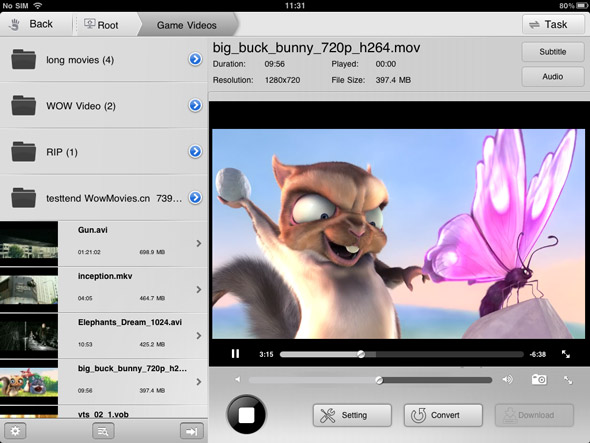
A really good video player for iPad and iPhone. OPlayer Lite plays almost all possible movie and audio file formats like AVI, WMV, MKV, FLV, MPG, MP4, Webm, VOB, MP3, WMA, WAV, OGG, FLAV, etc. Subtitles support is also available for free for hard and prerendered subs in SMI, ASS, SUB, SRT, TXT and many other formats. The play has also a multiple audio track support, so you can easily change your audio without any pauses. As for the interface it can be a bit difficult at the beginning, but you will need just a couple of minutes to make it clear. One more thing to mention is that Oplayer has a built-in browser with download feature so you can easily save the media you like.


Pros:
  • Most audio&video formats support 
  • Multiple audio track support 
  • Subtitles support 
  • Multiple language support
  • Ability to change aspect ratio
  • A built-in browser
  • A built-in downloader
  • Resume function
Cons:
  • Ads in Lite version
  • Complex interface


All in all, RockPlayer 2 is a more than decent free video player, supporting a wide variety of video files. With this app, you will have to transfer videos to your iPhone or iPad with the help of iTunes file transfer, HTTP, FTP or WebDAV. One of the standout features of RockPlayer2 is that it will effortlessly help you share videos between compatible devices. However, you may face a bit of hiccup when playback h.264 encoded videos. 

Pros
  • Support for subtitles and lossless audio
  • A lot of import/export options
  • Customizable gesture controls
  • Auto import for camera roll videos
Cons
  • Audio doesn’t work under lock screen or in the background
  • Choppy playback for 1080p videos


3. AirPlayit / AirPlayit HD

If you don’t plan to store your video library on your iPad, you should definitely take a look at AirPlayit. It’s one of the best and most effortless ways to stream videos from your desktop computer to your iPhone or iPad. Just download and install a small server application on your desktop computer, select the folders you wish to share over your network, and you’re good to go.

Pros:
  • No need to store video on iPad
  • Stream video directly from desktop
  • Support stream 1080p video
  • Support play DRM protected


4. Video Stream

Video Stream is not a conventional video player, but the features it offers make it worthy of appearing on this list. You can transfer videos to it via the usual iTunes method, and there is also a desktop server of its own that lets you stream videos of any format from your PC or Mac to your iPhone. The player works pretty well too, offering both landscape and portrait modes, along with support for background and lock screen play.


Pros
  • Full-screen mode 
  • Stream videos from your computer 
  • Convert any video to the default .MOV format from within the app 
Cons
  • Limit on streaming from desktop in the free version 
  • Struggles with some formats and large videos


5. VLC Media Player

VLC Player was hugely popular in its tenure in the App Store. Unfortunately, it was pulled from there due to copyright issues, and is now only available in the Cydia store. So if you have jailbroken your iOS device, this is a good news certainly.

The VLC Media Player is rather basic, but supports a wide variety of video types and it is even smart enough to warn you in case your device isn't capable of playing a file smoothly. The biggest downside is that you will have to transfer your video files to your iPhone or iPad using SSH.

Pros
  • Neat interface 
  • Compatibility warning for low-end devices 
Cons
  • Difficult method for importing videos (via SSH) 
  • Laggy on older devices

What free video player apps do you use to play back videos on your iPhone or iPad? Drop a line in the comments section below the article!
Related Posts Plugin for WordPress, Blogger...