Free Blu-ray Player

Showing posts with label apps. Show all posts

Sunday, March 31, 2013

6 Best Games for iPad Owners

Guys, stop watching movies on your iPad. Stop browsing the web on your iPad. Your iPad is an extremely great device for playing games. iPad games that shine use the extra screen space and sharper resolution to deliver touch gaming that captivates. So which iPad games do that best? Read on to find out the best iPad games apps.


1. Year Walk ($3.99)

A first-person adventure set in the dark woods of 19th century Sweden might not sound tempting, but trust us, this is a beautifully crafted game packed with gorgeous artwork and backed by an atmospheric soundtrack. There are cryptic puzzles to solve and you take center stage in the story as it unfolds. It is creepy and it might take a bit of getting into, but it is very rewarding if you stick with it. This is a mystery worth investigating.


2. Real Racing 3  (Free)

Its freemium timers may have proved controversial, but Real Racing 3 is still an excellent driving game, not least because the more you play and the more cars you own, the timer element stops being an issue. Anyway, the game sees you racing more than 45 cars over 900 events, upgrading as you go. The graphics are spiffing, the handling works beautifully, and unless you're philosophically opposed to in-app purchases in this kind of game – which some people are – you'll have bags of fun.


3. Angry Birds Space HD

While we've enjoyed all of the pull-and-fling Angry Birds entries to some extent, our current pick for the best of the bunch is Angry Birds Space HD ($2.99), which puts a fun twist on the classic formula by introducing gravitational pull and other intergalactic hazards. And unlike some other versions, Space has seen significant post-release gameplay variation via its myriad free and paid level packs.


4. The Room ($1.99)

Locked in a dark room with a perplexing safe in the middle, you'll find yourself solving a series of curious puzzle-boxes in The Room, a deeply involving and maddeningly challenging game that's best experienced on the larger iPad screen. As you solve each piece of the puzzle, the boxes transform and offer even more unexpected objectives, with gorgeous puzzle designs sucking you in for the long haul.

A Good Match for: People that believe they are incredibly intelligent. The Room exists in-part to confirm or disprove that belief.

Not for Those Who Want: A long-lasting experience. Once you've made it to the center and unraveled the mystery behind this intricate puzzle box there's no reason to go back.


5. Temple Run 2

With over 170 million downloads, Temple Run redefined mobile gaming. Now you can get more of the exhilarating running, jumping, turning and sliding you love in Temple Run 2! Temple Run 2 couples great beautiful graphics with a very simple, arcade-like premise. In Temple Run 2, you play an Indiana Jones doppelganger clutching a golden icon, and your goal is to run away from evil eagle-gorilla bigger monsters by tilting and swiping your way through obstacles in your path. New obstacles, more powerups, more achievements, Special powers for each character are included. 


6. Sky Gamblers: StormRaiders

Have you got what it takes to emerge victorious from a WWII dogfight? This game is visually stunning; it really shows off the iPad’s graphical capabilities with a series of gorgeous historical landscapes, detailed fighter planes, and an impressive array of visual effects. It requires some dedication to master, but there is a full campaign to complete before you dive into the host of multiplayer modes and test your mettle against rival pilots. Thankfully, a simplified control scheme makes it playable for newcomers while WWII aces can go full sim.

Any other best games for iPad recommended? Your share is greatly appreciated below!

Related Articles:
Top 10 Tips to Keep iPhone More Secure and Safer
6 Best Smartphones with Wireless Charging Capability 2013

Monday, March 18, 2013

5 Best Android Calendar Apps to Keep You on Schedule

Last time I have talked about 5 best Android Wi-Fi apps to boost mobile network and Wi-Fi signals, today I continue my share on 5 best Android calendar apps to keep you on schedule.

Actually your smartphone is a device that can do almost everything – from calling and texting to playing music and watching movies, but one thing it excels in is being a time organizer. With an extremely versatile and powerful Calendar app on your mobile, you will never forget about birthdays and all other important events.

Usually you have a lot of that functionality covered in the pre-installed Calendar app be it an Android Phone you are rocking. But if you really want to take your productivity to the next level and make sure you have your life perfectly steady in your hands at all times, you need the best calendar apps you can get. So here let us take a look at the 5 best Android calendar apps that you can get on Google Play. Check now!


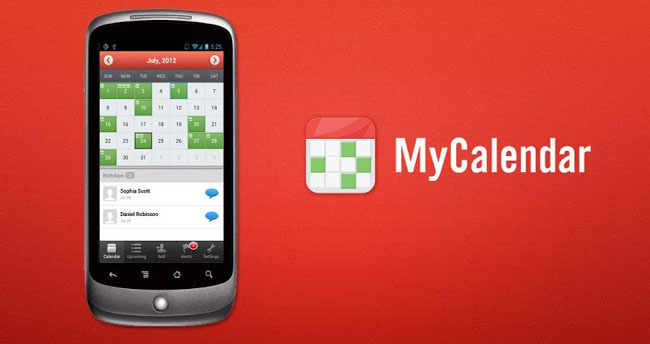
Top 1: MyCalendar

As the most beloved calendar app by Facebook users, MyCalendar will never let you forget about your friends' birthday again! This app takes note of your friends' birthdays and sets up notification so you can easily message your friends and wish them "Happy Birthday."

Key Features:

  • Import birthdays from Facebook 
  • Add birthdays of all contacts from your phone and add custom birthdays 
  • Customizable reminder settings: delivers notifications straight to your iPhone) 
  • Easily message your friends and wish them "Happy Birthday " along with custom message with just one click! 


Jorte is really great at showing you multiple views of your calendar. It shows your day's agenda under the month view when you click on it. Additionally, it lets you view tasks lined up foe each day, making it great for managing both your schedule and your to-do list.

Key Features:

  • Jorte Cloud: Original Cloud feature for multi-device use and backup. 
  • Various widget settings are available. 
  • Monthly and Weekly views are available. 
  • Important appointments are shown in red. 
  • See completed appointments at a glance. 
  • It can synchronize with Google Calendar. 
  • Adjust the starting day of the week on each view; it doesn't always have to be Sunday! 
  • Import the Holidays of your choice from Google Calendar. 
  • Import and Export the contexts to CSV format. 
  • It can be controlled using Google Voice Search and Google Maps. 


A complete calender app that is synchronizing with your Google calendars! It comes load with a great and smooth interface where you can pinch to zoom in and out. Instead of having views for "week", "4-day", "month", and so on, you start with a month view and can tap and drag on a certain set of days to shrink the view to those days.

Key Features:
  • Smooth scroll- and zoomable multi-day view (1-14 days) 
  • Graphical and textual presentation 
  • Month, agenda, day and event view 
  • Quickly fade in/out calendars using the favorite bar 
  • Search function 
  • Configurable widgets in different sizes for month, week, agenda and day view (3 design themes for each widget type) 
  • Easy switching between timeline bars and event titles in month view 
  • Intuitive new handling option: just move your finger over some days of interest in month view to open them in the multi-day view 
  • Quick day overview when adding a new event 
  • Many options for recurrent events (e.g. to add a recurrent event that takes place every other week on Tuesday and Thursday) 

Top 4: aCalendar - Android Calendar

Great free calendar app shinning with its unique weekly view of events. Flipping right and left takes you in monthly and daily views. The most impressive feature is the huge tiles for the weekly view, and the widget is also great. The drawback is lack of integration with Google Maps.

Features:

  • Intuitive navigation with smooth transitions 
  • Day, week & month calendar 
  • 48 colors per calendar, per-event color if supported by the calendar (Android Jelly Bean with Google Calendar only) 
  • Custom event font size 
  • Fullscreen widgets 
  • Flexible recurrences (e.g., every 3 weeks) 
  • Birthdays & anniversaries with photos from your addressbook and editing 
  • Fullscreen widgets
  • Custom event font size
  • Uses Android's native calendar backend and synchronization
  • No battery drain
  • Moon phases and zodiac signs for birthdays
  • QR barcode sharing of events
  • NFC sharing
  • Free
  • No ads


The Google calendar app comes built-in with the Android OS. The mobile functionality of this app is flawless due to Google and Android's intrinsic link. If you update an appointment on this app, it will instantly reflect on your mobile device. You will also enjoy the built-in functionality of shared calendars where you can simultaneously create and view multiple calendars.

Key Features:

  • Create, edit, and delete events
  • View all your calendars at the same time, including non-Google calendars.
  • Quickly email all event guests from a notification with a customizable message.

After checking out my picks above, which app will you use to line up your busy day?

Related Articles:
9 Best eBook Reader Apps for Android Phones and Tablets
5 Best Music Player Apps for Android

Tuesday, March 12, 2013

5 Best Wi-Fi Apps for Android to Boost Mobile Network and Wi-Fi Signals

For smartphone owners, actually there is nothing more frustrating than having a poor network signal or Wi-Fi connection, which leaves you with a slow internet connection or a hard time to make calls and send text messages. No matter how powerful your device is, I bet you will not enjoy it much without a decent internet connection or a strong network signal to work with. To avoid you lost in a bad situation, here I have put together 5 best free Android Wi-Fi apps to boost your mobile network and Wi-Fi signals, find public Wi-Fi networks, turn your phone into a Wi-Fi hotspot and more. 

1. Wi-Fi Analyzer

This is the most powerful Wi-Fi app for Android. Whether you are using home Wi-Fi or you are always using free public Wi-Fi access points, Wi-Fi Analyzer could help you boost your Wi-Fi connection. When setting up a Wi-Fi connection at home, you can use this app to evaluate the best channel to use so as to avoid overlapping with other Wi-Fi connections and essentially giving you better signal strength.

It also works great if you are in a public area where there are lots of Wi-Fi connections. You can use it to evaluate which wireless networks are the best to connect to. Quite easy to use Android Wi-Fi app. Recommended. 


2. Wi-Fi Manager

Managing your Wi-Fi connections will be a piece of cake if you use Wi-Fi Manager. It lets you find, connect and manage Wi-Fi networks freely. Taking it into use, you can easily find open networks around you. If you have more than a handful of networks available, managing them would be quite easy via this app.

The app includes two home screen widgets: one displaying detailed connection info, another letting you switch among favorite networks with a single tap. It also includes graphical channel which helps improve the connection quality, giving your connection speed a boost every time you use the app. It is really a useful app to use and becomes my favorite. 


3. OpenSignalMaps

Have you tried walking all around your house just to get a better signal for you phone? I bet you have done that at least once. It is a little hard to guess where you can get the best signal. Some even climb to the roof of their houses just to get a better signal, but you don’t have to do that when you use OpenSignalMaps. This app will literally show you where you can get a strong signal for your device.

When you use the app, it shows you the direction of the signal through an arrow, a map and even a radar where the location of cellular towers are shown. This way, you don’t have to guess and walk around to find a signal; instead you can follow the locations of the cellular towers where a strong network signal is surely available. Aside from helping you out with your network signal, it also shows where you are getting your Wi-Fi connection, helping you find free network connections wherever you are. 


4.Wi-Fi Finder

If you are on the lookout for a nice and functional Wi-Fi scanner, you can consider using this app on my queue of Android Wi-Fi apps. It allows you to connect all Wi-Fi networks: Open, WEP, WPA and WPA2. Simple yet useful app.

Features:

List of network contains channel, graphic level, encryption.
Save/remove networks supported - Forget option.
Auto Scan function. 


5. Free Zone - Free WiFi Scanner

Want to save money and cut your 3G fee? If so, this app is your must have. With free Zone Wi-Fi, you can save up on your 3G data package as this app keeps you posted about all available free networks. Unlike a number of other Android Wi-Fi apps which just display paid hotspots or those which refuse to work, this software lets you know about over 1,500,000 hotspots that are absolutely free. Whether you launch it or not, it continues to run in the background and search for available networks. As soon as you are in the vicinity of an open hotspot, your mobile will connect automatically to the Internet.


So, which Android Wi-Fi finder you are using now? Also in my list? If no, just share it with us in the comments!

Related Articles:

Wednesday, February 27, 2013

9 Best eBook Reader Apps for Android Phones and Tablets

Reading is the thing to make your smarter, and that is also the reason why here I present you with 9 best eBook reader apps for your Android phones and tablets. Admit it, holding a real book in our hands - a book that we can touch, smell and feel, is a totally fine experience. However, our portable devices now make carrying around an entire library a whole lot easier! 

Feel free to flick through my highly recommended Android eBook reader apps. If you have other recommendations, just let me know by dropping a comment below.

1. Google Play Books

Google's own eBook reader app, the most catchy thing about this app is that it offers over 3 million books for free download. On the feature side, it comes with all the functions you would expect from a good Android reader app. The most great thing is that it sync across all your devices means you can start reading a book on your tablets then resume reading where you left from your phone or in the computer. It supports the most popular eBook formats.

Plus Points: Over 3 million free eBook, sync feature, available for multiple devices, cloud storage.


2. Kindle

If you already own a Kindle and purchase most of your book on Amazon's Kindle store, you will fall in love with this Android Kindle app. You can read a book on your Kindle, open the Kindle app on Android and it will automatically take you to the page where you left. It does a great job for you to change font of the books, font size, brightness and backgrounds. It will automatically sync all your book from Kindle or any other device where you installed the app. This app has more than 10 million downloads and allow your to purchase book as well.

Plus Points: WhisperSync, biggest store of books, most trusted source.


3. Aldiko

Tired of the same old-fashioned ebook readers found on the Android Market? Just try Aldioko! It has the similar book-shelf type interface as the iBooks app. You can either import your own collection of ePub and PDF files or browse thousands of titles via the app itself. You can purchase a lot of books via Aldiko but a good number of them are available for free download. It also has a
night-mode feature and lets you search the entire collection. 

Plus Points: Easily import large number of books on local storage, awesome interface, nice navigation, browse through titles on their store.


4. Moon+ Reader

My favorite Android app for reading eBook. Its interface is amazing with smooth scrolling and great visual effect, and it comes with a Day & Night mode for great reading experience without hurting your eyes. Real page turning effect seems very cool. The app also got gesture based controls to do many things such as zooming, lock the page, adjust brightness level and many more. Easily download an eBook or PDF book on your device and instantly find it on Moon Reader library. Some of the supported ebook formats are ePub, PDF, TXT, HTML, FB2, CHM, ZIP, UMD, MOBI and OPDS.

Plus Points: Great interface, lets you import local files, supports wide range of formats. Paperbook-like page turning animation offers eye-candy.


5. WattPad

If sharing your books, stories and reading other people's share is your favor, you will love this app. WattPad has a collection of over 1 million free stories, novels, fan fiction, short stories, poems that people from the world share. It comes with a scroll mode that many other similar apps lack. You can find original titles as well as fan-made fiction about the characters you love, on this app. This app also lets you comment on the books, stories and poems you read and like.

Plus Points: Available for multiple platforms, share your stories and read other people’s. Comment on books, poems shared by others.


6. KoBo eBooks 

Over 1.8 million books for free download and over 2.2 million books available for purchase. So you can get so many interesting titles in KoBo catalog. They have a special system Reading Life for reading books and sharing quotes, notes etc. With KoBo, you can monitor reading habits and get interesting stats about your reading. It offers you the same sync feature like Kindle and Google Books. You can pick-up where you left off reading on any of your devices.

Plus Points: Reading Life™, Share quotes, notes. Add from dropBox, emails and local storage. Supports multiple platforms.


7. NOOK

If you love Barnes and Noble, you would love their Nook reader. It comes with a sync feature too and offers magazine subscriptions along with their collection of over 2 million books. Nook reader also has the iPhone-like Newstand feature for easily browsing through your collection.

Plus Points: Sync. Offers Newspapers, magazines and has a huge catalog of books and offers hundreds of FREE NOOK Books.


8. FBReader

Popular app has a unique way to let you choose any external OpenType or TrueType font you like and then read the book in that font. It supports FB2 (.zip), ePub and OEB file formats. It is also integrated with dictionary apps like ColorDict, Fora Dictionary etc. So, finding meaning of a word is as easy as it gets.

Plus Points: Supports external fonts, import from local storage, supports all popular formats.


9. Zinio

If magazines are your cup of tea, just use Zinio on your Android phone. It is the most popular mobile apps for digital magazines. To complement the reading experience, content from Zinio comes with interactive featires, rich media, and exclusive content in select magazines.

Plus Points: Specially designed for magazine lovers.

With your books now as portable as your smartphone or tablet, there is no more stopping you from reading favorite books any time you want and wherever you are. So consider above list and choose your favorite Android eBook reader app!

Realated Articles:
Top 5 E-Readers to Gift Give This Holiday
5 Best Music Player Apps for Android

Tuesday, February 26, 2013

5 Best Music Player Apps for Android

Well, last time I have introduced the Top 5 Free Music Apps for Android Music Lovers, and today I will continue to share 5 best music player apps for you all, especially you are holding an Android phone and you love music. If you are tired of the default music player on your phone, why not grasp this chance to refresh it after checking my app list?

Double Twist 

Double Twist is a quite cool music player for your Android. Its syncing capabilities are a boon for Mac users owning an Android device. It can sync music, download legal and high-quality album artwork, create smart playlists and also allows subscribing to podcasts. DoubleTwist is a free app, allowing several in-app purchases and the alarm clock seems quite interesting. If you set the alarm clock for a specific time, it suggests what time you should sleep.


Winamp

When it comes to free music player, Winamp is the first name that strikes in our mind. The popular desktop music player available on both Windows and Mac is also available on android marketplace, now Google Play. Desktop syncing, importing iTunes music library, winamp library import are some of the functions that sets winamp apart. It also provides access to radio stations that you can stream from the SHOUTcast database. The Pro bundle, priced at $4.99, adds graphics equalizer, crossfade, gapless playback, FLAC support and streaming audio URL support.


PowerAmp

PowerAmp is undoubtedly my favorite music player app for Android so far, and is also something you will always would like include in your favorite list of paid apps. Its attractive customizable user interface lets you access and adjust any feature you want such as tone/volume settings, playlists, skip, rewind, forward, ratings, shuffle, etc. from the current song screen itself with one-touch access. Music junkies will love the Equalizer feature which comes with a massive range of preset settings that let you enhance the sound quality as you like them and ideal for the place you are playing your music. The lockscreen widget for PowerAmp is a great bonus feature which makes music navigation much more hassle-free as you can control your music player without having to repetitively unlock your Android device. It is indeed the essential music player app for Android.


Player Pro (PRICE: $4.99) 

If any music player that can come close to, in fact surpass, Poweramp player then it is Playerpro. Voice search option, heaps of audio effects, smart playlists, swipe gestures, playlist shortcuts and many other jaw-dropping endless list of features will only succumb you to death. An additional feature to import and export music history and rating from desktop will reduce the task needed to be performed on your android device. Shake feature will let you easily change the songs without physical intervention. Actually it is a must-have app for all Android-using music lovers.


Rocket Player

Rocket Player is another music player app I wanna share. You can create and edit palylists using this app. It has a five band graphic EQ, and can be controlled within the lock screen. It has two sizes of widgets. With a $3.99 premium plug-in you can sync your iTunes library wirelessly with the player's database. It is also cool to see that you can pick a song you're listening to and set is as a ringtone.


As always, tell me which music player apps you like the most and don't hesitate to let me know in case I have missed a great Android music player app that should have been on the list.

Related Articles:
Top 4 Best Free Android Wi-Fi Calling Apps
Top 10 Android Travel Apps for Frequent Travelers

Friday, February 22, 2013

Top 10 Android Travel Apps for Frequent Travelers

Umm, your vocation dates loom large on the calendar. You are itching to get away. So why not speed the process up and let your smartphone be your travel agent? Alright, my today's share is regarding on the top 10 Android travel apps for frequent travelers, all of which could guarantee you priceless vacation memories by taking a load off your shoulders. Check!
 
1. Google Maps

Indeed Google Maps is useful for both domestic and international travels. It is considered as the most reliable and efficient and useful travel apps. It you travel frequently, never miss out Google Maps.


2. Google Translate

International travelers would appreciate this Google Translator the most. It supports translation between 65 languages. The audio for translation is available in 40 languages. All the translations are displayed. Actually it is the most comprehensive translation app out there.

3. XE currency exchange

Currency exchange is an unavoidable requirement during foreign tours. With XE Currency, you could always know the exchange rates and thus manage your expenditure. It is one of the best known and most reliable currency related app now.


4. Wikitude -- Location guide

This is a very handy application that draws a plethora of useful info about your surroundings from Wikitravel (a Wiki for travelers). Wikitude requires the camera of the smartphone to be pointed toward any direction to provide information and interesting places around the locality. It has the technology of augmented reality incorporated to it. You are allowed to save certain locations as ‘myWorld’ and share the same with others through social media.


5. Wire Wi-Fi Finder

Connectivity is crucial for online applications but is also expensive during international tours. Wi-Fi Finder of Ji-Wire resolves the issue by its Wi-Fi searching capability. It could search for the nearest Wi-Fi hotspots so that you can use internet without spending fortunes on bills.


6. Waze
Before hitting the road the next time, download Waze, the most user-generated traffic information app. It provides updates on police traps, jams, accidents, road blockades, etc. by locals in real-time. Thus, the latest information about the road can be found through Waze. It also saves cost by comparing the oil prices of the gas stations along your routes or around you. Waze has partnered with a few gas stations to provide discounts through digital coupons on the app.


7. Around Me

The purpose of travel apps would be reduced to half if they fail to provide local information. So, Around Me provides all the points of interest that are located near you. It detects your current location, and lets you select from categories like bars, cafés, hospitals, and hotels to filter though the results.

You can review the places on a map, or try the AR feature with markers overlaid on your phone' camera viewfinder. It's undoubtedly a quality app, but its mileage may vary as some locations do not have as many results as others (I tried Tokyo, and the results were not so helpful). 

8. Living Earth --- Weather report

Weather cannot be ignored during travelling. Unlike other useful travel apps for weather, Living Earth provides pictorial view of the entire Earth with weather report of the specific location. Besides, weather forecast for the entire week is also provided by this application.


9. Flight Track Pro ---Flight Search

For sure, you need to track the flight plans and schedules while on the travel. Flight Track Pro provides current updates about 5,000 airports and 1400 airlines. It can also be used offline. Useful app on your road.


10. Hotels.com -- Accommodation

You've probably already figured out what this app does. The Hotels.com app lets you search and book hotels all from your mobile phone. The location-aware function makes it possible to find the closest hotel where you are currently.

You can also access their reservation information even without an Internet connection. Even if you aren't a member of Hotels.com, the app is still extremely useful if you're in a new city looking for a place to stay.

Thursday, February 21, 2013

5 Best Video Editing Apps For iPhone and iPad

Apart from video shooting and playing, now it is just a snap for us to edit and share video on iPhone and iPad directly, just with the help of some iPhone and iPad video editing apps. Aided by high quality video camera and creative video editing apps for iPhone or iPad, making a great video could be done just in the palm of our hand! So today I will share you all with 5 popular and best video editing apps for iPhone and iPad. Just choose the one you love and make use of it to turn your homemade videos into classy masterpieces.

1. iMovie ($4.99)

iMovie is always the most popular and best video editing software for iPhone and iPad. This app can be used for making pretty movies in HD without much effort.

iMovie comes with 8 pre-loaded themes, each with its own set of titles, transitions, and music. With it, you could turn various videos you shoot on your iPhone, iPad into gorgeous home movies. You can even record video straight through the app itself for better video editing on iPhone and iPad. After editing, you can easily share the video from iMovie to YouTube, Facebook, Vimeo, and CNN iReport.


2. Viddy (Free)

Unlike some of the video editing apps, this app is more like Instagram but for videos. Viddy allows you to edit video clips with many different filters and music. Of course, you don’t get as many options as the paid apps including cropping and splicing video. With Viddy, you could easily share video to other Viddy users and shared on Facebook, YouTube and Twitter after it is finished.


3. ReelDirector ($1.99)

Actually another favorite in the video-editing world. ReelDirector allows budding movie makers or complete beginners to add music tracks, splice videos and add titles and transitions. There aren’t any filters or effects, but it is a pretty useful app when it comes to quickly tweaking your video clips.


4. Avid Studio ($4.99) 

Avid Studio is the most powerful iPad digital movie editor of the bunch and also one of the simplest to use. Making use of Avid Studio, you could create composite video effects such as overlays and picture in pictures. Its text options are the most customizable with lots of control over font, size and color. But Avid Studio also has its limitations: It only can output up to 720p resolution, lacks a voice-over feature, and offers no themes for prefab movies.


5. Magisto (Free)

For something with a bit more potential, yet hardly more difficult to use, check out Magisto. It is an intelligent video editor that allowa you to stitch clips together, make the videos more vibrant by adding music and also add fancy transitions. The process of editing is automated for your convenience.


Have I missed a cool video editing app? Well, just let me know by dropping a comment. And if you happen to be a fan of any of the apps I've picked, tell me all about your creations here!

Saturday, February 2, 2013

Top 5 Photo Editing Apps for iPhone

Actually, I am not a great photographer and using a professional camera is away over my head. So in my daily life, I prefer to take use of my iPhone and some other favorite photo editing applications to record and show my daily life. There are so many iPhone photo-editing apps on App Store and I bet majority of you can not judge which one is good or not, just like me before. So today I will share you with 5 best photo editing apps for iPhone just in line with my personal experience. If you have an urgent need on photo editing app, you could read through my recommendations to pick up your favorite one and beautify your photos in everyday life. 


1. Instagram, Free 

For fans of social media, be sure to never miss out Instagram. No other photo app makes it so simple to share images socially. I deeply love that I can push a photo directly to Twitter, Facebook, Thumblr and Foursquare directly from Instagram rather than hunting and finding the photos with the other apps. The built in ability to apply filters and blurs can make you look like a pro! It is the most recommended photo editing app in this list.


2. Photoshop Express for iPhone, Free

Another recommendation and the one that I should include in my list: Photoshop Express. The professional editing that you can achieve with Photoshop Express may be also available in some other tools here, but its ease of use is quite awesome. With many effects at its disposal and the ability to share edited photos, this is actually a must-have for anyone who's serious about photography on mobile phones.


3. Camera+, $0.99

Another big name in camera replacement apps, Camera+ does much much more than just let you customize your photos. The app is vastly superior to Apple's built-in camera app, and includes tools that help you take better, faster photos. On the customization side, Camera+ does offer several photo borders, custom filters, and other personalization effects you can apply before or after saving your photo to your Camera Roll. As with other apps, you can layer effects and filters on top of one another, edit your photo, rotate it, crop it, and make it just right before you share it with the world. If you're looking for a complete camera app replacement for the iPhone or iPad, Camera+ is certainly the worthwhile one.


4. Snapseed, Free

Call Snapseed an Instagram competitor if you want! However, Snapseed's focus is on making your photos look fantastic and putting high-quality editing tools in your pocket, not necessarily on being social (although you can do that too.) Snapseed comes loaded with photo filters and personalization tools so you can give your shots that sepia, old-timey look, but it goes further than that. You can tweak and edit entire photos, or just sections of your photo that you'd like to clean up, use the Tune Image feature to tweak everything about your shot, or just hit Auto Correct and let the app handle everything.


5. Procamera, $2.99

Procamera is a nice alternative to Camera+. It’s a bit pricier but I like the immediacy of its interface a bit more than Camera+, which makes you wade through some attractive but unnecessary screens to get to some features. If you’re looking for an app to use when you’re whipping your phone out of your pocket to grab a shot quickly, Procamera has the edge. It also offers an unlinked focus/exposure system and White Balance locking to help you set your color tone.


Do you have any other iPhone photo editing apps that are great to use? Just share to me! Deep thanks! 
Related Posts Plugin for WordPress, Blogger...